Troubleshooting Windows Server Shutdowns
If your Windows Server is shutting down every hour or two and requires manual power-on, follow these steps:
-
Open Command Prompt
PressWindows + R, typecmd, and hit Enter.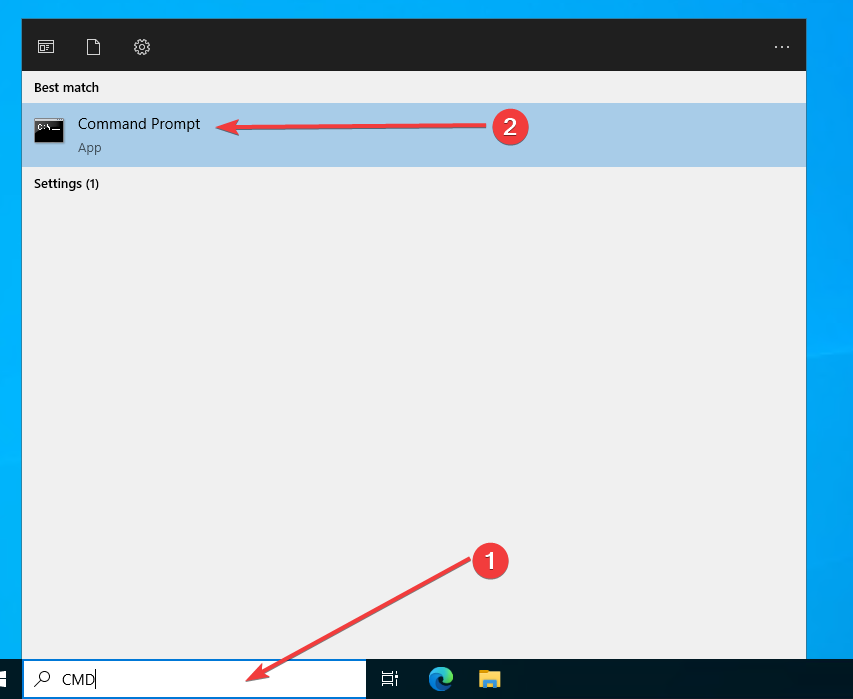
-
Run the Rearm Command
In the Command Prompt window, type the following command:slmgr.vbs -rearmand press Enter.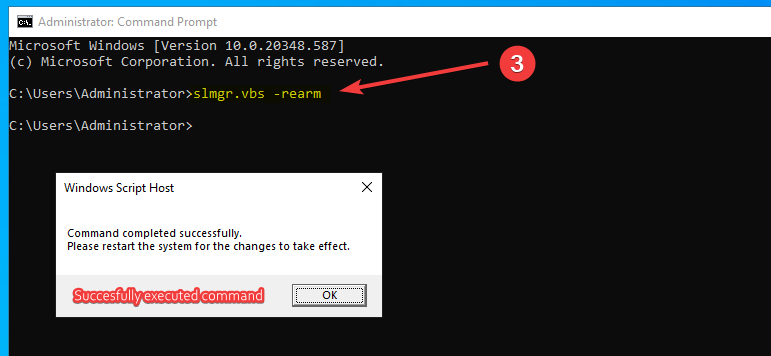
-
Reboot Your Server
After the command completes, restart your server.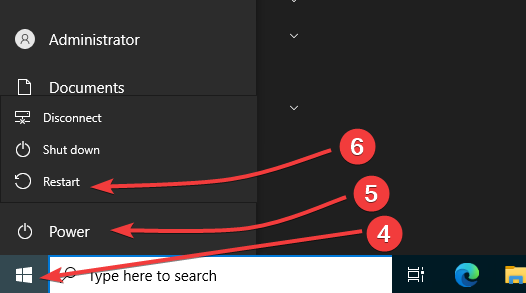
If the Command Fails
If the command does not work, you will need to back up your data and consider one of the following options:
- Reinstall your Remote Desktop Protocol (RDP).
- Purchase a valid Windows license.
If you need further assistance, please contact our support team by opening a ticket.